- Página de inicio /
- Libros /
- Computadoras y tecnología /
- Graphics & Design /
- Adobe /
- Adobe Photoshop /
- Adobe Photoshop Lightroom CC - Edit Like a Pr...
0 ratings



Nº de artículo:
10077981
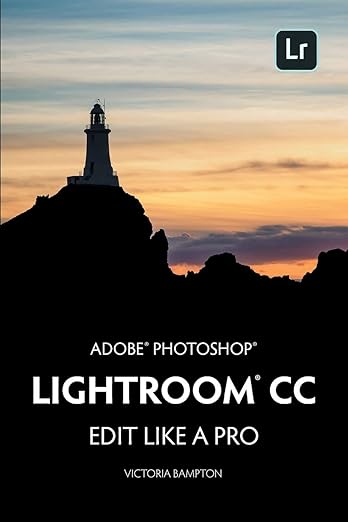
Adobe Photoshop Lightroom CC - Edit Like a Pro: (2018 Release)
90% of respondents would recommend this to a friend
Nº de artículo:
10077981
CRC 14493
Price Details
Excluding Shipping & Custom charges ( Shipping and custom charges will be calculated on checkout )
*All items will import from Estados Unidos
51%
En stock
 Importado de la tienda USA
QTY:
Solo queda 1 artículo en stock.
Haz tu pedido ahora y recíbelo por ahí Sábado, Octubre 03
Secured transaction
Ubuy works hard to protect your security and privacy. Our advanced payment security system ensures confidentiality by encrypting your information during transmission using AES (Advanced Encryption Standards) and SSL (Secure Socket Layer) protocols. Your payment details are 100% secure as we do not share your payment details with third party sellers.
Our Top Logistics Partners


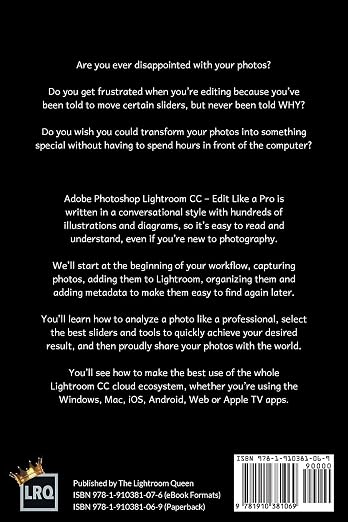
Adobe Photoshop Lightroom CC - Edit Like a Pro is written in a conversational style with hundreds of illustrations and diagrams, so it's easy to read and understand, even if you're new to photography.

Fast
Shipping

Free
Return*

Secure Packaging

100% Original Products

PCI DSS Compliance

ISO 27001 Certified












What Stands Out
Professional Editing Tools
Lightroom CC offers advanced editing capabilities, enabling users to enhance photos with precision, mimicking professional-grade results even without extensive photography knowledge.
User-Friendly Interface
Designed for photographers of all levels, the intuitive layout simplifies the editing process, ensuring that beginners can navigate complex features without feeling overwhelmed.
Comprehensive Support
The included resources guide users through the editing process, featuring tutorials and tips that enhance learning, making it easier to master software functionalities quickly.
Detalles de producto
- Note: there is a newer edition of this book. Please search for Adobe Lightroom - Edit Like a Pro 2022 Bonus! - As Adobe regularly updates Lightroom, most books are out of date before they even ship. Register this book with the author to get a year's complimentary eBook updates and assistance for this Lightroom version. (Terms apply.) Are you ever disappointed with your photos? Do you get frustrated when you're editing because you've been told to move certain sliders, but never been told WHY? Do you wish you could transform your photos into something special without having to spend hours in front of the computer? Adobe Photoshop Lightroom CC - Edit Like a Pro is written in a conversational style with hundreds of illustrations and diagrams, so it's easy to read and understand, even if you're new to photography. We'll start at the beginning of your workflow, capturing photos, adding them to Lightroom, organizing them and adding metadata to make them easy to find again later. You'll learn how to analyze a photo like a professional, select the best sliders and tools to quickly achieve your desired result, and then proudly share your photos with the world. You'll see how to make the best use of the whole Lightroom CC cloud ecosystem, whether you're using the Windows, Mac, iOS, Android, Web or Apple TV apps. NOTE - This book describes the Lightroom CC Cloud ecosystem. If you're using Lightroom Classic, which is the traditional folder-based version of Lightroom (also on subscription), see Adobe Photoshop Lightroom Classic CC - The Missing FAQ. Oh, and a tip - watch out for other books called Lightroom CC, because if they were published before October 2017, they're the wrong version of Lightroom. Adobe rebranded Lightroom, causing some confusion!
| Publisher | The Lightroom Queen |
| Publication date | August 21, 2018 |
| Language | English |
| Print length | 328 pages |
| ISBN-10 | 1910381063 |
| ISBN-13 | 978-1910381069 |
| Item Weight | 3.53 ounces (100.08 grams) |
| Dimensions | 6.14 x 0.89 x 9.21 inches (15.6 x 2.3 x 23.4 cm) |
Who Should Buy?

-
Aspiring Photographers
Perfect for beginners looking to enhance their photo editing skills using comprehensive features provided in Lightroom CC.
-
Professional Editors
Ideal for professionals needing advanced editing tools and techniques to streamline their photo editing workflow efficiently.
-
Photography Students
Excellent resource for students studying photography, offering practical guidance on mastering Lightroom for academic projects.

-
Casual Users
Not suitable for users looking for basic photo editing as it may overwhelm with its advanced features and complexities.
DESCRIPCIÓN DEL PRODUCTO
¿Tienes alguna consulta? Chatea con nosotros
Preguntas y respuestas de los clientes
-
Pregunta:
What is Adobe Photoshop Lightroom CC used for?
Respuesta: Adobe Photoshop Lightroom CC is a powerful photo editing and management software designed to help photographers enhance their images. It provides a wide range of tools for adjusting exposure, color, and detail to achieve professional-quality results. Users can easily organize their photo collections and create stunning photo books, slideshows, and web galleries. With features like non-destructive editing and RAW file support, Lightroom CC is perfect for both amateur and seasoned photographers looking to elevate their editing skills. -
Pregunta:
Is Adobe Photoshop Lightroom CC suitable for beginners?
Respuesta: Yes, Adobe Photoshop Lightroom CC is very user-friendly, making it an excellent choice for beginners. The software offers intuitive editing tools with guided tutorials that help new users familiarize themselves with the features. You can start with basic adjustments and gradually explore more advanced editing techniques as your skills develop. Additionally, Lightroom's organized interface allows users to efficiently manage their photos, making the learning process more enjoyable and accessible. -
Pregunta:
Can I edit photos with Adobe Photoshop Lightroom CC on my mobile device?
Respuesta: Certainly! Adobe Photoshop Lightroom CC offers a mobile app that allows you to edit photos on your smartphone or tablet. The mobile version syncs with your desktop application, enabling seamless access to your work across devices. You can utilize many of the same powerful editing tools available on the desktop, making it convenient to edit photos on the go, share them quickly on social media, and capture inspiration wherever you are. -
Pregunta:
What are the system requirements for Adobe Photoshop Lightroom CC?
Respuesta: To run Adobe Photoshop Lightroom CC efficiently, your system should meet specific requirements. Windows users need a 64-bit processor, and at least 4GB RAM (8GB recommended) along with 2GB of available disk space for installation. Mac users require a macOS with compatible updates along with similar RAM and disk space specifications. Having adequate graphics support can enhance performance, especially when working with high-resolution images and multiple edits. -
Pregunta:
Does Lightroom CC include cloud storage?
Respuesta: Yes, Adobe Photoshop Lightroom CC includes cloud storage, allowing you to access and edit your photos from anywhere. With cloud integration, all your edits and photo collections are automatically backed up and synchronized across all your devices. This feature ensures that you can work seamlessly from desktop to mobile, and even collaborate with others by easily sharing edited images and collections throughout your creative projects. -
Pregunta:
Can I use Lightroom CC for video editing?
Respuesta: Adobe Photoshop Lightroom CC focuses primarily on photo editing; however, it has some basic video editing features. You can organize and trim video files in the library section of the software, making it easy to manage both photos and videos in one place. For more advanced video editing capabilities, you might consider using Adobe Premiere Pro, which can be integrated with Lightroom for a comprehensive multimedia editing experience. -
Pregunta:
What is the difference between Lightroom CC and Lightroom Classic?
Respuesta: The primary difference between Lightroom CC and Lightroom Classic lies in their focus and functionality. Lightroom CC is designed for cloud-based editing and offers a more streamlined interface, while Lightroom Classic is tailored for photographers who prefer a traditional desktop editing experience with extensive local storage options. Classic provides advanced features for professional workflows like enhanced cataloging and offline editing capabilities, making it ideal for those who work with large photo libraries. -
Pregunta:
Can I purchase Adobe Lightroom CC without a subscription?
Respuesta: No, Adobe Photoshop Lightroom CC is available only through a subscription model. Adobe offers various plans that cater to photographers, including monthly or annual subscriptions. This approach ensures that users receive constant updates and access to the latest features, enhancing their editing experience. While this may differ from purchasing perpetual software, it allows for professional tools to stay current and competitively priced, benefitting both casual users and industry professionals. -
Pregunta:
What types of files can I edit in Lightroom CC?
Respuesta: Adobe Photoshop Lightroom CC supports a variety of file formats, including JPEG, TIFF, and RAW files from numerous camera brands. This compatibility allows photographers to import and edit their images without converting them first. The software excels in handling RAW images, which retain higher quality and more detailed data, giving users the flexibility in editing and enhancements. This makes Lightroom a favored choice for photographers fielding images from different sources. -
Pregunta:
Where can I buy Adobe Photoshop Lightroom CC - Edit Like a Pro in Costa Rica?
Respuesta: You can purchase Adobe Photoshop Lightroom CC - Edit Like a Pro from Ubuy in Costa Rica. Ubuy provides a user-friendly platform where you can find various software options, including Lightroom CC. With a commitment to customer satisfaction, Ubuy offers a straightforward shopping experience, making it easier for you to acquire the tools necessary for professional photo editing.
Adobe Photoshop Editorial Review
Adobe Photoshop Lightroom CC - Edit Like a Pro: (2018 Release) is an excellent book that covers all Lightroom CC functions and explains in great detail how they can be used on both PC and mobile device App. It is a great resource for those who have a basic knowledge of Lightroom and/or Photoshop. It provides hands-on explanations about how to maximize the power of the software. It covers topics such as work flow, image editing, creating presets, and much more. This book can easily be understood by beginners.
Customer Reviews & Ratings
59 valoraciones de los clientes
-
5 estrella
54%
-
4 estrella
41%
-
3 estrella
5%
-
2 estrella
0%
-
1 estrella
0%
Revisar este producto
Comparte tus ideas con otros clientes
ventajas
- Covers all Lightroom CC functions
- Provides hands-on explanations
- Covers topics such as work flow, image editing, creating presets, and much more
- Can be understood by beginners
Platform Trust & Buyer Confidence

JK
Jasmin
Verified buyer
“Great products and very good service: very easy and very fast international delivery.”
9 September 2026 · via Trustpilot
AG
Anke
Verified buyer
“Wonderful online shopping experience, smooth transaction from the start. Payment method works conveniently and delivery is unexpectedly fast and reliable. You go the extra mile for service. What makes this even more amazing, you deliver to Namibia. I will remain a happy Ubuy customer and will increase my purchases for sure! Thank you!”
10 September 2026 · via Trustpilot
H
Hazel
Verified buyer
“Very easy to find the products what you need, and so fast delivery, that’s why I highly recommended to others costumers to used ubuy.”
10 September 2026 · via Trustpilot
O
Opaleye
Verified buyer
“I received exactly what I ordered I was skeptical about your site because that was my first time to order. But the order came timely and neatly packaged. I was not disappointed. Thank you.”
11 September 2026 · via Trustpilot
AC
Adele
Verified buyer
“Easy to find and order what you want on the website. Delivery is quick to the UK”
8 September 2026 · via Trustpilot
Pago seguro
Global Delivery
Easy Returns
Genuine Products
Product Price History
Información importante
- Limitaciones: Para los productos enviados al extranjero, ten en cuenta que cualquier garantía del fabricante puede no ser válida; las opciones de servicio del fabricante pueden no estar disponibles; los manuales del producto, las instrucciones y las advertencias de seguridad pueden no estar en los idiomas del país de destino; los productos (y los materiales que los acompañan) pueden no estar diseñados de acuerdo con las normas, especificaciones y requisitos de etiquetado del país de destino; y los productos pueden no ajustarse al voltaje del país de destino y a otras normas eléctricas (lo que requiere el uso de un adaptador o convertidor, si procede). El destinatario es responsable de asegurarse de que el producto puede ser importado legalmente al país de destino. Cuando hagas un pedido a Ubuy o a sus filiales, el destinatario es el importador registrado y debe cumplir todas las leyes y normativas del país de destino.
- No todos los productos que aparecen en Ubuy están a la venta, ya que Ubuy es un motor de búsqueda a nivel mundial. Los productos están sujetos a las normas de exportación/comercio.
CRC 14493
Haz tu pedido ahora y recíbelo por ahí Sábado, Octubre 03
This item is not restrict in my country.(Please click on above link if this item is not restrict in your country, So our team will review and allow.)
QTY:
Solo queda 1 artículo en stock.
Secured transaction
PCI DSS compliant and ISO 27001:2022 certified, with encrypted payments and full buyer protection on every order.
Our Top Logistics Partners
Fastest cross-border delivery
características y beneficios
- Conversational style with hundreds of illustrations and diagrams
- Helps in organizing photos and adding metadata
- Teaches how to analyze a photo and select the right sliders and tools
- Uses the whole Lightroom CC cloud ecosystem
- Tips on Lightroom Classic version and other books called Lightroom CC
- Complimentary eBook updates upon registration
Ubuy Assurance
Experience worry-free shopping with 100% original products, PCI DSS-compliant payment security, ISO 27001-certified data protection, the fastest cross-border delivery, free returns *, and secure packaging on every order.